Review and how it works

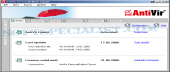
Avira Antivirus Free ( Avira AntiVir Personal ) mixes high detection rates and simplicity with a top effectiveness that shelters the personal computer protected against harmful viruses.
AntiVir Personal Edition Classic will install under Windows environment with pre-configured settings thus being valuable right after installation.
Avira Antivirus Free enables users to adjust the detection options based on the security level they wish: opt for the fast heuristic virus detection method or for the comprehensive extended method to tell the anti virus to scan all types of files and archives.
You can use it to scan for viruses in two modes: on-access anti-virus scan or instant scan (simply made by AntiVir Guard when the personal computer files or software are accessed), and on-demand scanning (malware scanning is started by hand by you).
AntiVir Personal Edition Classic will update itself and its virus definition file via internet. To keep you protected against the newest threats, the updates are usually available various times a day.
Brief details
It enables you to detect and safeguard you against hundreds of thousand of viruses.
AntiVir is composed of a resident monitor plus a desktop utility.
The free Avira has the user interface available several languages such as English and German.
Implements a heuristic virus detection mode that works faster and smoother than ever.
Online updates of the viruses definition file are possible with this free antivirus.
Delivered with both instantaneous antivirus scanning and manual anti-virus scanning (i.e. on-demand detection).
How to install & uninstall Avira Antivirus Free - system requirements
Nothing special to install, use or uninstall it.
|