| |
Review and how it works
10-Strike LANState monitors network hosts, shared resources, traffic, get MAC-addresses, scan TCP and UDP ports, and be notified when devices turn on or go down.
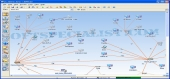
LANState 10-Strike outputs network diagram and you are able to see your network's state in visual form at each time.
10-Strike LAN State encloses a number of options for administrators for example sending messages, shutting down and turning on remote pc, ping, name lookup, trace route, obtaining information on remote pc, creating reports, and so on.
This tool does not necessitate installing each client utility on the remote PC on your network.
What is new?
The areas are now moved with both hosts and lines inside them.
Network map's appearance settings (wallpaper, gradient, font, icon size) are stored inside the .lsm file.
Strike LANState offers various wallpapers (floor plans) for various maps, and the rest.
Brief details
- Output visual network map and monitor host status.
- Enables to model a local area network(LAN) diagram in a visual mode and afterward saving the result as a map with pictures.
- Monitoring hosts (ICMP ping and connecting to specified TCP port are supported).
- Monitoring the usage of the shared resources by other users of the network.
- Monitoring load of the network card (incoming / outgoing traffic).
- Searching hosts by ICMP ping or scanning TCP ports.
- Retrieves computer's network name by its IP address.
- Notifying on events by playing a sound, writing to log, running software, sending e-mail, and so forth.
- Does actions on devices via the personalizable context menu.
How to install & uninstall 10-Strike LANState - system requirements
Network - to utilize this tool. the NetBios, ICMP, TCP, UDP must be enabled in your firewall.
|
|