| |
Review and how it works

2D&3D Animator generates satisfying photos, titles, banner ads and buttons for the Web page or for a presentation.
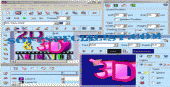
2D & 3D Animator provides the user with an object-oriented design panel which aids to edit graphics, add text and handle and compile layers for creating graphic animations or apply original effects without waste of time.
The users may add shadow or opacity to an object, make it to glow, add cool deformations, transitions and color effects.
It is possible to make animations from the personal pictures (JPG, GIF, BMP, AVI, ICO, PNG) and add 3D text and shapes. Besides font size and color, users may use colored lighting, textures et cetera.
The layer tools aids to manage on the object's placement, size, motion, and appearance.
The ready-made templates make the product simpler to utilize. Users may select one of various ready-made templates for banners, buttons or logos. Once you pick a template, users may begin to alter it each way the user wishes.
By double clicking on objects you bring up application bars and options. To cut loading time for the visitors, have the software optimize the graphic by removing extraneous material.
Once finished, the animations can be exported as GIF or AVI clips but also JPEG, ICO, PNG or Bitmap photos.
What is new?
Some minor bugs were fixed in this new edition.
How to install & uninstall 2D & 3D Animator - system requirements
Nothing special to install, use or uninstall it.
|
|