Review and how it works
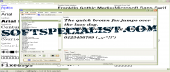
AMP Font Viewer was made as a font manager that provides an overview of the installed and non installed fonts found on a PC.
AMP Font Viewer helps the user to view, manage and install fonts or, if not needed anymore, to uninstall them.
Conveniently designed, the application’s interface consists in two tabs: for the installed and for the non-installed fonts.
With it you have the capacity to know and organize the items by special categories and to create lists for viewing or printing.
The application comes in English and Spanish languages.
What is new?
-Comes with option for Type 1 (*.pfm & *.pfb)
-Improved support for dealing with TrueType.
-The new edition of the utility provides more details.
-With it users may view samples of the desired type.
-Added a choice for deleting read-only items (e.g. when copied from a CD).
Brief details
-Recognizes all three Type1, TrueType and OpenType.
-Options dedicated to organizing and managing categories.
-Install fonts directly from a directory or from a list.
-Temporary installation until closing the application.
-A simple way to delete / uninstall fonts.
-Provides customizable lists that can be printed, of installed ones or with the ones found in certain directories.
-The scratchpad area from it enables to see how they look.
-Delete them to Recycle Bin by default.
How to install & uninstall AMP Font Viewer - system requirements
-Windows 2000/XP or newer is needed to work with PostScript OpenType fonts.
|