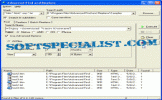
Review and how it works
Advanced Find and Replace is just what the name means.
Advanced Find and Replace is rapid, trouble-free, and a perfect time-saving tool for developers and, especially for Webmasters.
It allows users to find a text on the local PC exactly like using an Internet search engine.
Among its functions there is the support for operators that will let any user to specify phrases, keywords, and words to be ignored (-).
It's simple to apply date and size filters to reduce the search broadness.
The software aids you to replace single or multiline strings. Just tell it the strings, then specify an action: erase, introduce text before or after it, or simply replace it.
With this application you have the capacity to apply several changes to batches of files in a single cycle. By using the optional confirmation it's possible to make a manual selection.
Satisfying documentation for it is built-in so start should be simple.
What is new?
- Search in a list of files and even in results.
- Its user interface comes with various themes.
- New and simpler Masks selection window.
- Improved Path selection window.
Brief details
-Delete the string or choose to enter text before or after it.
-Replace the search string.
-Use queries to search for files.
-The batch replace operation can simply updates lots of diverse links in many files.
-Process even multiline strings
How to install & uninstall Advanced Find and Replace - system requirements
Nothing special to install, use or uninstall it.
|