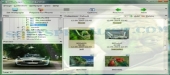
Review and how it works

Designed as a wallpaper management program that really saves user money.
It is the first and only program which joins the capability in creating mobile wallpapers for each device, configurable desktop wallpaper management, and full-screen image slide show packed with numerous graphic effects.
Taking into consideration the software reach options, it's still uncomplicated, clear and user-friendly.
The executable utilizes modest PC resources. It comes with configurable tune-up options which will satisfy even the most exacting users.
Many wallpaper management action may be achieved in one mouse click. Useful users are provided with keyboard control means.
Most importantly, AllWallpapers makes it possible to save money. When a user comes with the power to connect a mobile device to a personal computer, the software brings a helpful technique to convert personal photographs and desktop wallpapers to mobile device wallpapers.
AllWallpaper builds a nice impression on experienced wallpaper programs users.
What is new?
Mobile wallpaper converter.
Default editor command for the pictures in the collection
Wallpaper history.
Change and close wallpaper feature.
Splash screen is optional and can be removed at tool startup.
Extra file list options.
Extra thumbnail list feature.
Show and hide desktop icons.
Brief details
Wallpaper management for mobile and desktop..
Customizable desktop wallpaper management.
Generate mobile wallpapers for each device.
Convert personal photos and desktop wallpapers to mobile device wallpapers.
Tune-up options which will satisfy even the most exacting users.
Full-screen image slide show.
How to install & uninstall AllWallpapers - system requirements
-Pentium 300.
-32MB RAM.
|