| |
Review and how it works
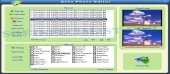
Auto Photo Editor was conceived to be an full-featured editing and conversion instrument.
Auto Photo Editor helps you to simply convert many image files, very simple, with just one button pressed.
The users may use the batch mode to change the original size, rotate, write a text on the images and convert to various formats.
It is trouble-free, if you use batch mode to simplify the photo processing jobs.
Users may configure the pc to process batch files on a schedule. In this way, it frees you from many monotonous tasks by processing plenty of photos with just one drag-and-drop move.
It can save pictures in almost any well known format like tif, gif, ico, jpg, pcx, bmp, psd, ico, cur, png, dcx, wmf, pxm, wbmp, jp2, j2k, crw and more than 100 more file types!
Brief details
It was built to automate the image processing operations.
It can convert different kind of pictures.
It saves in many wide used formats.
Options to run the program on a schedule.
How to install & uninstall Auto Photo Editor - system requirements
Your PC needs 64M RAM to use this image processing tool.
|
|