| |
Review and how it works
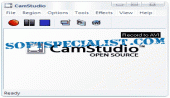
CamStudio records screen activity from your Windows into standard AVI video files.
CamStudio comes as the right instrument for developing videos to demonstrate functions of a new program or each other task that needs the capture of desktop activity.
The screen recording instrument Cam Studio is trouble-free, and you have the ability to opt for capturing the whole desktop, a window, or any other selected region from the screen.
The user has the ability to change the video quality settings to create files with small size. It allows to change the cursor style and to insert soundtracks with the help of a microphone.
In addition, you get the ability to add screen labels to desktop during recording sessions. You can write on them any text regardless of the language used.
Using the Video Annotation function, you are enabled to improve your movie by adding a webcam movie into the AVI.
Brief details
- Output demonstration videos for each application.
- Useful to make support videos, FAQ lists, help files.
- You are able to output video tutorials for school or college class with Cam Studio.
- Record a recurring nuisance with your pc so you are able to explain to the technical support persons.
- Output video-based information about instruments you are about to sell.
- It's also useful to record new tricks and techniques you discover on the preferred application, before you forget them.
- It is able to convert the AVI files to Flash (SWF).
How to install & uninstall CamStudio - system requirements
Hardware: 400 MHz CPU,64 MB RAM, Free 8 MB for installation.
The CamStudio codec package is ready for download.
|
|