| |
Review and how it works
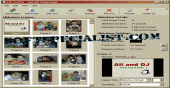
DVD PixPlay assists you to produce slide show disks from photos, videos and music and write them in just few minutes to a CD or DVD for playback on your television making use of a DVD Player.
DVD PixPlay facilitates to share your photos with your friends and family, particularly those who do not have a pc. And they are as trouble-free as a typical DVD! This slideshow creator has option for all typical image sorts (JPEG, JPEG2000, GIF, BMP, PNG, and so on.), raw camera sorts (CRW, CR2, NEF, and so on.) typical sound sorts (MP3 and WAV) and video formats (AVI, MPEG, and so on.),
What is new?
Several improvements to compatibility and slideshow functionality.
Brief details
Add audio tracks as background music or your individual voice for a commentary,
Burns in a second to a blank CD or DVD (for playback in most DVD players, VCD players and computers),
It provides about 160 image transition effects.
Suitably generate and enter title as well as various text pages,
May output files (AVI, MPEG, etc) to VCD or DVD,
Retrieve photos instantly from a digital camera or scanner with the program.
Outputs to DVD, VCD, SVCD, XVCD, XSVCD, MPEG and AVI (Xvid, DivX, Indeo, etc) types, with NTSC and PAL support,
Add shapes and fun objects to pictures (such as Santa hats and speech bubbles),
Add custom captions to your photos or use the embedded description fields created in Smart Pix, MegaView or Picasa
How to install & uninstall DVD PixPlay - system requirements
Pentium 300 Mhz.
32MB RAM.
CD or DVD Burner.
|
|