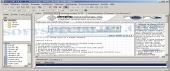
Review and how it works
by SoftSpecialist
Dev-PHP is a free editor initially released under the GNU General Public License, allowing users to freely transform or use its source code as long as they comply with the terms of the license.
If someone requires a handy PHP editor for creating a web site, then DevPHP is a good option, is free and features not only code highlighting and line numbering but also dozens of functions to help the developer.
Dev-PHP was built as a well-featured integrated development environment (also known as IDE).
You'll be capable to create, edit and debug code or scripts operating with the PHP scripting language and the dedicated GTK library (both built-in in the "PHP Package") or with several other development languages.
Brief details
- Improvements for the Debugger, Profiler and the Code completion module.
- Simpler localization. See dxgettext.
- Flags to signal when the file opened in a tabsheet changed its content.
- Simple way to open/close the Debug toolbar and to enable/disable of "Undo" and "Redo" in the editor.
- Its installer comes with more useful options.
- AutoText : "Snippets" hotkey is Ctrl+J and comes with automatic suggestions in Editor.
- Direct search to find a text very rapidly, without opening the Search-Form, containing either the chosen text, the word from the keyboard or mouse cursor.
- "Prompt on replace" is a small semitransparent window conveniently shown next to the text to be replaced.
The pros
Several bugs not affecting the functionality, however annoying sometimes.
The tabs with opened files are not very handy especially when working with many files.
I found some of the default settings not very fit for my needs.
How to install & uninstall Dev-PHP - system requirements
Nothing special to install, use or uninstall it.
|