Download | Software submit | Magazine | Help | My account
 
SoftSpecialist
 
   Graphics Icon Makers - Creation

EZ Extract Resource Download free!
 

EZ Extract Resource Download
Extract icon, cursor, bmp and the like from utilities.

 
Review User reviews


Screenshots - Best view
Program screenshots

Download EZ Extract Resource 3.5 
Safe
 
Free downloads
2360
Editors rating -
Good
SoftSpecialist rated the programme with 3 stars
Votes received from 0 users Be the first to rate the program!
 Producer is Sea Moon Technology,Inc.
 License is Free to try, 24.95$
 OS Windows Vista XP NT 2000 2003 Server Me 98
 Size 554 kilobytes
 Last modified May 7
Review the program: tell the world what you think about it.


Review and how it works


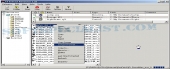
EZ Extract Resource is an application which may scan specified folders or single files on the personal computer and extract icons, bitmaps, glyphs (button images), and cursors, sounds and the rest from applications and DLL, OCX, and the rest.
EZ Extract Resource save these pictures or videos, sounds as customary files. And may manage and process these files, for example shell copy, move files, copy image from file to clipboard, file format conversion in batch es, etc..
The EZ Extract Resource also support translated, the user may translate it to each language at lightning speed. Some attributes are only on hand in the registered edition of the utility.
You'll no more need to waste time in order to design pictures or sounds by yourself. It's possible to reuse or modify the existing ones.
It indeed will save you lots of hours. Test it out..

How to install & uninstall EZ Extract Resource - system requirements
Pentium 160, 32 MB RAM


Download EZ Extract Resource free from SoftSpecialist.

Free download of all the software programs developed by Sea Moon Technology,Inc..


Try something else similar

Icon Makers - Creation best user rated software

Similar software download free at SoftSpecialist


Interesting additions


  Subscribe to newsletter:  


Latest reviews and articles:


      SoftSpecialistTM and SoftSpecialist InstituteTM are registered trademarks.
      © 2025 SoftSpecialist. All rights reserved.   Privacy Policy | Terms of Use | Contact