| |
Review and how it works
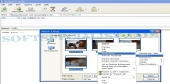
Edit Digi Pictures was designed as a practical application if the users must quiclky convert the digital photos. This pictures editor extends the Windows Explorer right-click menu, and was designed to convert the following image formats: jpg, gif, tif, bmp, png.
Edit Digi Pictures enables users to also to resize, rotate and rename different pictures at once. The photo resize feature of Edit Digi Pictures can be used when you wish send pictures attached to the email.
Brief details
Rotate pictures has 3 options: rotate image 90° left, rotate 90° right and flip the photo upside down.
Converts one or different kinds of pictures to a new file format: jpg, gif, tif, bmp, png. The source pictures will be left untouched.
Can rename one or different kinds of pictures all together. The filename chosen by you, will be followed by an increasing number.
How to install & uninstall Edit Digi Pictures - system requirements
Nothing special to install, use or uninstall it.
|
|