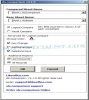
Review and how it works
Excel Compare is a distinctive utility that aids any user analyze differences in Excel documents.
Handy and useful, Excel Compare does Logical and Visual documents comparison.
Excel Compare saves you the difficulty of by hand searching for differences and has computer-aided comparing of Excel files.
Likeoffice does two types of excel comparisons: visual and logical.
Comparing of two excel worksheets by their cell location is suitably made by this instrument. It is Excel Visual Comparison .
Comparing of two excel worksheets according to a key Field (like ID or product number etc'), located in Column A of any worksheet. The results of Logical Comparison are reported to a separate worksheets which include several reports.
Records that appear in both Worksheets will appear only once in Excel comparison reports. The information related to the records will be taken out of the Based Worksheet.
Brief details
- Further Rows - meaning, what records were added to the Compared worksheet?
- Deletions Rows - what records were deleted from Base worksheet?
- Key Change - what records with the same Key Field were changed? What are the changes?
- Joint Records - what are the only records that appear in both, Base worksheet and Compared Worksheet, with the same Key Field?
- All records - meaning, what are the records that appear in either Based Worksheet or Compared Worksheet?
How to install & uninstall Excel Compare - system requirements
Nothing special to install, use or uninstall it.
|