Review and how it works

Fiddler comes as a safety investigation instrument, a HTTP Debugging Proxy which captures the entire HTTP traffic between the PC and the Internet.
It is a HTTP Proxy which runs on the local computer. You have the ability to set any application to direct traffic through Fiddler in order to analyze it.
All the tools based on MS WinINET (for example Office, IE browser and others) will use by default this instrument as long as it's opened and the option "Capture Traffic" is selected in the File Menu.
It enables the user to examine the generated logs and to put breakpoints in the network traffic.
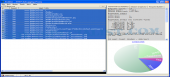
Each process is displayed in the left table along with the result, the host and the URL address. In the right table the users will find complete statistics for each web session (bytes sent/received, requests stats etc.) and with a single click they can see the actual performance chart. All these stats and reports can be exported in different ways.
This program incorporates a useful scripting subsystem able to respond automatically and you can expand Fiddler's functionality by utilizing .NET language.
Brief details
It is able to function as "reverse proxy".
Stats for Http Requests.
Statistics about the chosen web sessions.
Users are able to integrate it with a web client.
See and change requests and responses.
How to install & uninstall Fiddler - system requirements
Debug traffic from almost each tool (Opera, Firefox, Safari, Chrome etc.) on Windows with Microsoft .NET Framework 2.0 or newer.
Disk space: 10 MB / CPU 800mhz.
Ram: 128MB (higher=better).
|