Review and how it works

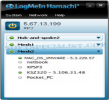
Hamachi will produce direct connections to PCs that are not accessible otherwise due to the constraints from network setup.
By installing Hamachi on numerous personal computers and clicking a couple of buttons users are able to connect them in a second and securely. It is possible to browse file shares, set up a remote desktop or even start a multiuser game on one personal computer and merge in from another.
Hamachi acts as a networking tool making possible that two personal computers on the Internet to talk with high-speed to any other unconcerned of the presence of firewalls or address translation devices placed on the route between them.
It facilitates p2p transfers between two personal computers residing behind two separate connection sharing devices. For everybody's understanding, it helps for bidirectional NAT traversal.
Once peers connect the traffic begins to flow with high-speed between them. This not only a way to make sure that the data will follow the finest route possible, but it also minimizes latency (known as the ping time) while maximizing the transfer speeds.
The data transfers are encrypted operating with industry-standard algorithms and protocols. Nobody will succeed to see what the Hamachi users are talking about.
How to install & uninstall Hamachi - system requirements
Nothing special to install, use or uninstall it.
|