Download | Software submit | Magazine | Help | My account
 
SoftSpecialist
 
   System Utilities Backup & Image Disc

Handy Recovery Download free!
 

Handy Recovery Download
Undelete Files and Recover Partitions

 
Review User reviews


Screenshots - Best view
Program screenshots

Download Handy Recovery 5.5 
Safe
 
Free downloads
4577
Editors rating -
Good
SoftSpecialist rated the programme with 3 stars
5 stars received from
2 users
The program received 5 stars from users
 Producer is SoftLogica LLC
 License is Free to try, 49$
 OS Windows 7 Vista XP NT 2000 2003 Server Me 98
 Size 2051 kilobytes
 Last modified May 7
Review the program: tell the world what you think about it.


Review and how it works


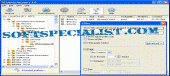
Handy Recovery acts as a data recovery utility produced to restore accidentally lost files.
The tool permits FAT 12/16/32, NTFS and NTFS 5 + EFS file systems.
It shows probability of successful recovery for every file.
This application can recover files from deleted and formatted partitions or produce disk photos for deferred recovery.
Handy Recovery programme tools in-depth disk scanning for specific file types. File filtering by name, mask, date and size comes.

What is new?
In-depth disk scanning for individual file types;
Analysis of lost MFT records (NTFS);
Recovery of EFS-protected files (NTFS);
Sector view of disk content;
Support for compressed disk pictures;
File filtering by date or size; Choice to save recovery session.

How to install & uninstall Handy Recovery - system requirements
1.3Mb free disk space,
64Mb RAM.


Download Handy Recovery free from SoftSpecialist.

Free download of all the software programs developed by SoftLogica LLC.


Try something else similar

Backup & Image Disc best user rated software

Similar software download free at SoftSpecialist


Interesting additions


  Subscribe to newsletter:  


Latest reviews and articles:


      SoftSpecialistTM and SoftSpecialist InstituteTM are registered trademarks.
      © 2025 SoftSpecialist. All rights reserved.   Privacy Policy | Terms of Use | Contact