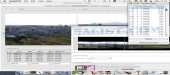
Review and how it works

Hugin Panorama photo stitcher consists of a user-friendly cross-platform panoramic imaging set of applications derived from Panorama Tools.
With Hugin Stitcher instrument users are able to assemble a mosaic of photographs into a full panorama, being able to stitch each series of overlapping pictures and so on.
The first step to making a right panorama or assembling and image mosaic is to start with a given number of photographs.
The photo stitching procedure is easy: add the pictures to Hugin's project on the Photos tab. If they are in the uncropped JPEG formats, the embedded EXIF information provided by the digital camera will give the field of view (FOV) numbers with no user effort.
Hugin makes possible pictures to be added in each orientation, in each direction. You are enabled to specify yaw, pitch and roll orientation about the axes for every image, obviously if you know them. Any changes made to these numbers will be reflected straight away on the Panorama Preview.
Brief details
Creating 360° enfused panoramas.
Stitching two photos together.
Stitching (assembling) flat scanned pictures.
Perspective correction.
Provides a module for correction of the transverse chromatic aberration.
How to install & uninstall Hugin Panorama photo stitcher - system requirements
Nothing special to install, use or uninstall it.
|