Review and how it works

Image Repainter utility is Photoshop-compatible plug-in for Windows that borrows prototype picture color characteristics to transform colors of a source image.
Image Repainter plug-in permits the user to express pleasing colors from desirable prototype image to pictures to be corrected.
Image Repainter is very helpful for recoloring of a series of photo shots, expressly where slightly various lighting and camera settings produced various color appearance in any photo. It's founded on the modified technique of matching color histogram statistics of the source to those of prototype.
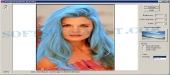
Running the plug-in the image to be changed color is appeared in the same window. The tool has easy to understand interface. The user can set the directory with desirable template photos and choose each of them as prototype. It's viewed in a petite preview window from the right of the screen.
The plug-in has three modes of operating: Usual Mode, Only Brightness, and Only Colors. The first one corresponds to the borrowing from the prototype image all statistical information (both chromatic and brightness). The second one is relevant to borrowing from it only brightness statistical information, and the third one - borrowing from it only chromatic content.
Under given mode the statistical characteristics of the source image are changed directly according to those of the prototypes. To make the result more perceptual a user can adjust this program brightness and color by suitable setting the Brightness and Color Intensity controls.
What is new?
User Interface has been enhanced, plug-in can process selection correctly.
Brief details
Repaint source image in template colors.
Borrow prototype image color characteristics and changes the colors of a source image.
Aids to pick the suitable settings of the Brightness and Color Intensity of the repainted image.
The plug-in has a practical install and uninstall procedures and is supplied by brief help description.
How to install & uninstall Image Repainter - system requirements
Demands Photoshop-compatible graphic host program
|