| |
Review and how it works

Image2pdf can convert image to pdf and is capable to preview the result.
Image2PDF converts tif, jpg, bmp,gif,wmf,emf,png to PDF files.
Image to PDF converter functions includes: setting page order, security, encryption, permissions, document information and personalize pdf pages.
It permits to at light speed scan photos into the utility.
Use one picture or many photos per pdf. Many folders may be searched for photos
Diverse pdf page sizes are present. Custom page sizes is useful .
With this converter, users may set the permissions when viewing the new pdf file. These permissions are for printing document, copy text and graphics, edit document, add annotations, fill in form fields, set accessibility functions, can or cannot assemble document and avoid document being distilled into a new document.
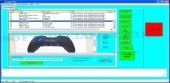
The tool has an interesting graphical application interface and there is no skill needed to change settings for pdf files . Audit trail for operations.
The pdf parameters include title, subject, keywords and creator of the pdf.
Adobe acrobat is not necessitated for Image to PDF.
Image2pdf is convenient for converting 1 image file into a pdf or a large number of images in diverse directories at the same time!
What is new?
Browse to other directories besides My Documents on personal computer.
Brief details
-Enables you to overwrite exising files or not when converting pictures.
-Compress pdf.
-Showing the toolbar in pdf.
-Full screen feature when viewing pdf.
-It shows document title in pdf view.
-Image to PDF can hide window application interface when viewing pdf in Acrobat
-Encrpyt pdf file with user password and owner password.
-PDF's encryption may be 40 bit or 128 bit.
-Tif, jpg, bmp,gif,wmf,emf,png are the files that is able to be converted to pdf by this software.
How to install & uninstall Image2PDF - system requirements
Nothing special to install, use or uninstall it.
|
|