| |
Review and how it works

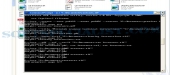
Intelliant OCR instrument presents itself as an optical character recognition commandline program OCR, capable to convert scanned photos into a searchable PDF format, for example both image and text in a same standard container.
Intelliant will increase the value of your intellectual capital, enabling to best utilize your image documents with each search engine.
OCR Intelliant is remarkably speedy, light (the installator weighs only 5 Mb) and the recognition tool makes quite an interesting job for the top European languages. Many text and image compression methods make possible to enormously reduce the size of the documents.
Input photos for it may be in all the flavours of the TIFF format, monochrome, gray scale or color photos, even already encapsulated in a PDF document. Output documents may be in ASCII format, smart ASCII (tries to produce text as much like the exclusive image as possible), RTF and PDF.
Intelliant aids to specify all security options and properties (title, author, subject and keywords) in the Adobe PDF format.
Above all Intelliant OCR may be simply built-in in your existing document management system. As a demonstration, we provide configuration files enabling to plug Intelliant OCR "out of the box" into Alfresco document management system (the main open source replacement for enterprise content management).
With Intelliant you can define OCR transformations that you are able to use within basic content rules (for example, transform to PDF all TIFF photos dropped into an individual folder).
Brief details
Is Optical character recognition program ( OCR ).
Can convert scanned photos into a PDF format.
Will convert photos to text.
OCR recognition feature of Intelliant makes quite an interesting job for most of the European languages.
Intelliant Output documents may be in ASCII format, smart ASCII, RTF and PDF.
A variety of Intelliant text and image compression methods aid to reduce the size of the OCR documents.
It's OCR command line program.
How to install & uninstall Intelliant OCR - system requirements
Nothing special to install, use or uninstall it.
|
|