| |
Review and how it works

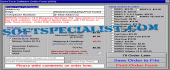
Visual Basic source code will help the user to add an order form to the utility.
It is the order form DynoTech Software has used to sell multiple shareware applications in by 90 countries.
Order Form permits for several products, computes sales tax, accepts credit card information, and the like.
Copy the form and alter to allow for ordering from several distributors within the same utility.
Don't waste the time writing the private order form. Only drop the source code of this form into the Visual Basic utility, slap on a menu choice, compile, and distribute.
Source code incorporates all *.mak, *.bas, *.frm, *.frx, *.bmp, and *.ico files the users require for a full project. As an added bonus, you even get the source code for a basic utility user interface.
Replace the order.txt file with a good order form. Make it more trouble-free for the customers to place their order.
Order form enables to 'Save to File' for Email and Fax or 'Print' for hard copy order by fax or mail.
What is new?
Both 16-bit and 32-bit source code on hand with full registered edition of Visual Basic Order Form.
Brief details
Order Form enables the user add an order form to the VB application.
How to install & uninstall Order Form Source Code - system requirements
Order Form needs a 486 or better CPU;
4MB RAM;
The may be used on Windows 3.x (16-bit version) or Windows 9x and higher (32-bit version);
256 color VGA; Mouse;
Order Form was built as a Source Code for Microsoft Visual Basic 3 or Visual Basic 6 and higher.
|
|