| |
Review and how it works

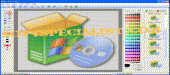
PC Icon Editor was designed as a simple instrument developed to generate, modify and organize all the icons from your computer.
With wholly incorporated workspace, it allows you to work simply and to output professional icons at light speed.
You may start to create your own ico files using any digital picture. You also have options to set transparent color.
Take the icons from any EXE, DLL, DRV, SCR or ICO file from your personal computer and save them into your own library.
Users are able to output, load and save all the items they want. Now, it allows to handle the XP format with Alpha Channel (Smooth Transparency).
The software has wizard and command line user interfaces, making it uncomplicated. It has the capacity to totally support XP Alpha Channel, and it is possible to output and modify beautiful semi-transparent icons.
It has plenty of features necessary for the design such as 12 filtering effects (Blur, Rotate, Soften, Sharpen, Colorize, Shadow...). And you may set the size from 16x16 to 128x128 pixels.
Practically, all you see on the Desktop or in the Windows Start menu may be modified using this tool.
How to install & uninstall PC Icon Editor - system requirements
Nothing special to install, use or uninstall it.
|
|