| |
Review and how it works

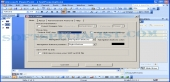
PTTTOSWF was thought as an impressive and user-friendly way of converting existing PowerPoint Presentation files (*.ppt) into a nice designed Macromedia Flash SWF clip retaining all of the desired effects of the presentation.
The appliocation has option for 122 animation effects and has an impressive list of options.
Has Option For presentation looping, Converts Audio in WAV and MP3 sorts, Video clips in AVI, WMV, ASF, MPEG sorts; Brings various ways of navigation through SWF clip, Has option for shape actions; Makes SWF clip with various linear sizes; Has option for previewing of generated SWF clip; Converts any slide to separate pictures in BMP, JPG, WMF and PNG; Saving the SWF file as an exe-projector for viewing in each pc; Update utility.
Unlike other similar utilities on the market, the newest release of this tool has an ultimate functionality which helps each user to produce Flash Websites operating with PowerPoint as simple as 1-2-3.
As you know any user is able to define actions for the shapes* incorporated in the presentation. This will bring to the user a chance to: (1)Add jumps to the next and to previous slides what is practical for browsing pages (may be utilized the left and the right arrows); (2)Add jumps to the initial slide (consider the slide being the homepage of the flash website); (3)Jump to particular pages of the presentation (may be used both text name shapes and page numbers); (4)Go to other websites or make links to any HTML page from any bigger site.
Brief details
Convert texts, symbols; Has option for font; Converts Character and Picture Bullets;
All shapes and AutoShapes, Clip Art, Word Art, Rotated objects;
Converts 3D Settings for Shapes (AutoShapes), embedded OLE objects like Charts, Tables, Graphs, Equations;
Converts notes, page numbers, headers, footers, Skips Hidden Slides; Converts presentations created with Master Templates;
It may manage URL links, animation effects, animation with defined time;
Transform pictures, Slide Backgrounds;
Reuses background in all slides;
How to install & uninstall PPTTOSWF - system requirements
Microsoft PowerPoint XP or from 2000 and 2003 to the latest edition plus Direct X 8 or higher
|
|