| |
Review and how it works
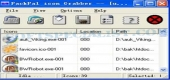
Packpal Icon Grabber comes as a utility which captures all icons from software (exe, dll), icon (ico), icon list (icl) in your PC and save to ico, bmp and jpg format.
Packpal Icon Grabber can search icons both from a file and a directory. It may import all icons from the folders and hard drives and save all icons at once.
This Icon Grabber can export icons to *.bmp, *.ico, and *.jpg files at the size of 32 x 32 and 16 x 16. So it is provided to change the size of icons and convert format amongst icon, bmp, and jpeg.
Brief details
There are two various ways to get icons: import from a file and scan a directory;
Users are able to save the desired icons or all the icons the searched at once;
There are three various views to test the icons' details you find out: thumbnail view, list view and detail view;
Users are able to set the maximum quantity of search and scan the sort of files including: *.exe, *.dll, *.ico, and *.icl;
There are two image sizes users are able to pick to save with this utility: 32 x 32 and 16 x 16;
There are three various export file types users are able to pick to save: ico file, bmp file, and jpg file;
The user interface and design process are convenient to understand;
Runs well under windows 98/ME/NT/2000/XP.
How to install & uninstall Packpal Icon Grabber - system requirements
Nothing special to install, use or uninstall it.
|
|