| |
Review and how it works
by SoftSpecialist
Photobie is a simpler, freeware alternative for Photoshop, which comes with a distinctive user-oriented layer manager. This is expressly created to aid the users to work with multi-layers for complex photo editing procedures.
It comes with the basic tools necessary for digital photo retouching. So you will be able to enhance your photos by adjusting the contrast, colors, brightness etc., remove the unwanted areas, apply filters and so on.
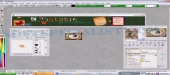
Besides, it brings a user-friendly application for making animated gif files and several ways to add frames to the photos. It allows you to browse folders and files and to directly access the desired pictures and functions: resizing, rotate, view slide show. Anyway, the interface is pretty uncomfortable to use and the large number of functions grouped in the menu may be confusing for some users. For example, the Region menu includes the main tools necessary for processing a certain area of the image (select, fill, move, rotate).
Brief details
Several tools similar to those from Photoshop e. g. rotation, re-size, change brightness, modify transparency.
Designed to capture pictures: all you have to do is to indicate the desired area of the screen.
You have the ability to simply draw basic shapes like rectangles, circles, lines, curves, polygons, free hand and it includes the gradient fill tool.
3D capabilities: create a cube or a globe using the selected layers.
It allows to save your project to .pob file (Photobie multi-layer image format).
Has incorporated a simple flash movie player.
Configurable brushes.
The pros
Includes the essential tools necessary for photo retouching.
Allows multiple layers. It allows to extract different elements of an image or to merge more images creating photomontages.
Gif animation.
The cons
Uncomfortable interface for inexperienced users.
Incomplete for professionals.
How to install & uninstall Photobie - system requirements
It comes as a .NET windows program, so the users must have .NET framework 1.0 or higher on the personal computer.
|
|