Review and how it works
Any image displayed on your screen can be saved on your hard disk with Pic Cutter! Get all the beautiful photos and graphical elements from the web.
It is adaptable for a wide range of uses: you can pick only a frame from an animation, for example a Flash banner or you can use it in those situations when the right-click - Save as option is disabled etc. There are no obstacles that can stand in the way of this picture grabber!
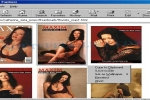
All you have to do, is to indicate the exact part you want to save. Few buttons pressed and the desired image is copied to the clipboard or stored on your computer as bitmap, icon or cursor file. You can also set it as wallpaper on your Windows desktop.
Brief details
- Download each picture and cut photos from any webpage.
- It is simple to use and access Pic Cutter. After installation, you can find it in the system tray.
- When you find an image you wish, this application helps you to extract it and to save it, regardless of its size.
How to install & uninstall Pic Cutter - system requirements
Nothing special to install, use or uninstall it.
|