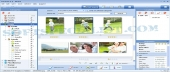
Review and how it works

PicaJet FX Photo Manager assists you to easily manage thousands of the digital pictures rapidly. It is impractical to list all the options that Pica Jet brings here.
Photo indexing is quicker than other apps, and PicaJet aids you to index directories or files as you prefer.
It aids you to review and edit photos the way you need, not pigeonholing you into an inconvenient user interface. E. g., you are able to view photos the way you prefer: by directories, by ratings or comments or keywords.
The user is able to show or hide several aspects of the user interface at each time - often with a keyboard shortcut. Wish to toggle the panes in favor of a one photo or an all thumbnails view? Only hit the Tab key.
Most every feature is only a keyboard shortcut away. Photo editing is rapid, trouble-free, and preview-able. You are able to save in all the major file types, for instance .PNG. PicaJet really shines when you expand its use beyond mere viewing and editing.
It aids you to manage various albums, not only one or two. If you have a large photo set and need an effective modality to organize it, PicaJet Photo Organizer presents itself as an indispensable program.
What is new?
Minor improvements were made in the newest release of Photo Picajet Photo tool.
Brief details
Presents itself as a pictures organizer.
View photos the way you prefer: by directories, by ratings or comments or keywords.
Was thought as a digital picture tool that aids you to sort directories or files.
Photo editing is painless and preview-able.
How to install & uninstall PicaJet FX - system requirements
Pentium II
|