| |
Review and how it works

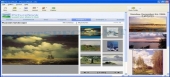
PictureNook: Make you web photo album in a minute with aid of new web gallery making tool. Choose the pictures, select gallery layout then follow the web deploying wizard and the new photo album becomes offered to the friends. After any change of the gallery users are able to see a preview - how it will look when it's displayed in a browser.
Various types of useful layouts and visual styles built-in to save the time.
The idea of this instrument came to author's mind when his child wanted to see pictures she draws in MS paint. She wanted to see her new painting immediately! Even if her dad has been at work, busy with programming of powerful business utilities.
And mission has been a success. So, then we state that instrument is so simple that seven-years old child may utilize it, users are able to believe it. So, the overall task has been to allow seven years old child to utilize the instrument for add her pictures ("I draw new one, here it is"); change appearance ("I don't like this color, let it be that"); share it with her dad ("Look at my new picture").
Trouble-free outside, smarty inside. WYSIWYG user interface, FTP uploader, pictures rotating/resizing, web navigation - instrument do the finest to free user from unnecessary details.
Picturenook brings graphical application interface there almost any thing may be done with single mouse click and, possibly, some typing (after all, pictures should have names!).
Picture Nook comes packed with interesting designed sets of layouts and color schemes it's a key application for everybody who wants without trouble present pictures on the web... in style.
What is new?
Easy to understand interface.
FTP uploader.
Photos rotating/resizing.
Smart web navigation.
How to install & uninstall PictureNook - system requirements
Free 10 GB HDD, 128 MB RAM to install Picture Nook software
|
|