| |
Review and how it works
by SoftSpecialist
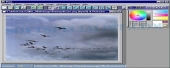
Pixia comes as a graphics editor which encloses basic drawing instruments, as well as useful transparency effects and layer controls. Practically it permits you to add as numerous layers as you want, provided that the personal computer memory supports.
In brief, it acts as a petite editor, but it has enough functions so that you may consider it a complete drawing kit. It helps its users to retouch pictures, to simply enhance them using image effects and depending on their manga drawing skills and creativity to output impressive characters and graphics.
Originally developed as an editor with Japanese user interface, Pixia comes now in English language, as well.
The pros
The interface has a longer learning curve.
How to install & uninstall Pixia - system requirements
Nothing special to install, use or uninstall it.
|
|