Review and how it works

Poppy was intended as a free e-mail notification instrument which has option for various POP3 accounts. It will check various servers for new messages at standard time intervals.
Poppy will notify you when you have new messages waiting on a POP3 server of the Internet provider.
Once started, the user will see an icon in the so-called system tray or taskbar notification area. When this program detects that mail is offered on each of the configured servers, it will help the user to know by changing the taskbar icon. Optionally, it may play a sound, execute an external instrument (like the e-mail program) or show a popup window containing a notification message.
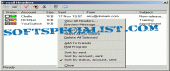
Beyond Poppys’s interesting purpose, which is e-mail notification, it's capable to show the headers of individual e-mail messages, preview the e-mail message source and remove individual messages from the POP3 server.
With Poppy you have the ability to opt for messages founded on selection rules. This feature is specially useful when you receive SPAM emails that you speedily wish to get rid of from the POP3 server.
This application for Windows will retrieve the e-mail headers whenever it checks the servers for e-mail messages.
Good functions for instance view e-mail headers, remove e-mail message, anti - SPAM email, DNS blacklist and the rest. are possible by this easily designed email notification instrument.
What is new?
Added the Preview Partial Message item in the headers dialog pop up menu.
Added ExportPoppySettings.bat to the Setup
Notification window operates with configured tooltip color
Brief details
- Options to aids the user to configure the utility to the needs: account tabs, notifications tabs.
- Shows an icon in the taskbar notification area and notifies you whenever new mail arrived.
- Checks several POP3 accounts for new mail.
- Makes Use the taskbar icon to indicate that mail is waiting.
- A personalizable interval between checks of the POP3 account.
- A practical popup menu to reach all options and configuration.
- Play a sound to notify you when a new email has arrived on each account.
- Will play another sound for every email account.
- Execute an external software when new mail has arrived.
- Show a non-interfering popup window when new mail has arrived.
- On The Fly hide the popup window, without user intervention.
- Always notify or only when new mail has arrived.
- Always notify or only when mail from a friend has arrived.
- Dialog to let users see 'From' address and subject of every message.
- View the headers of an e-mail message.
- Preview the source of an e-mail message.
- Erase e-mail messages from POP3 servers.
- May make notifications derived from the selection rules.
- Check e-mail headers against an anti-SPAM DNS blacklist.
How to install & uninstall Poppy - system requirements
Needs a working internet connection and is typically used in combination with an ‘always on’ internet connection, e.g. a cable or DSL connection.
|