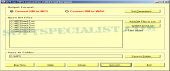
Review and how it works
RM-to-MP3-Converter is for converting RM files (Real Media Files: *.rm, *.rmvb, *.ram, *.ra, *.rmj, and the like.) to MP3 files.
This audio conversion application may convert RM to WAV.
RM-to-Mp3 Converter presents itself as an audio converter which comes with option for batch conversion mode.
With this application any user is able to transform MP3 and WAV parameters.
To start the conversion the user must launch the application RM-to-MP3-Converter, opt for the optional item "Convert RM to MP3" on the window, set options and subsequently click the button "Start" on the converting dialog to start converting and waitting for the procedure to be finished.
To convert RM to WAV, the user must pick "Convert RM to WAV" and subsequently set WAV options rather than MP3.
Brief details
Converts RM Real Media Files to MP3 audio items.
Batch conversion mode.
You may adjust the conversion parameters.
It's an audio conversion tool which may also convert RM to WAV.
It assists you to make conversions in a few steps.
How to install & uninstall RM-to-MP3-Converter - system requirements
Needs RealOne Player and a Sound Card.
|