Review and how it works

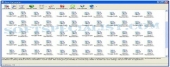
Revo Uninstaller is a freeware to assist Windows users with uninstallation of software which have no uninstal facilities or that do not uninstall and remove completely the product out of the system.
With all its characteristics, Revo Uninstaller is a freeware uninstall instrument made as a substitute for Windows Add/Remove utility, similar yet modern and much speedier.
With its complex and speedy algorithm, Revo Uninstaller works by scanning the system before and after you uninstall a utility to detect all the changes made to the operating system.
With this application the user may erase all the unnecessary files, directories as well as registry keys which could remain on the PC.
If you are having problems due to a broken installation then it may be fixed by Revo Uninstaller. If you want to make sure that you completely remove a certain application out of the computer then this is the tool.
It will scan your computer's drives and the Windows registries and will display all the files, directories and registry items left so they may be easily cleaned up.
Brief details
Clean temporary files from your personal computer.
Securely remove files or directories, even if they are already deleted, for making them unrecoverable by any specialized software.
Delete all your history in web browsers.
It makes a proper uninstallation of the already uninstalled tools.
Provides Real-Time monitoring while programs install to detect the system changes they cause.
Forced Uninstall - useful to remove any trace left of already uninstalled programs.
A system backup module that includes full Registry backup.
How to install & uninstall Revo Uninstaller - system requirements
Nothing special to install, use or uninstall it.
|