| |
Review and how it works

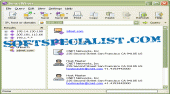
SmartWhois was built as a handy network information application which lets you to determine all the offered information about an IP address, host name, or domain, for instance country, state or province, city, name of the network provider, administrator and technical support contact information.
SmartWhois may be adjusted to work from behind a firewall by utilizing HTTP/HTTPS proxy servers. Various SOCKS releases are possible by this whois instrument.
Unlike standard Whois programs, it can find the information about a personal computer located in each part of the world, smartly querying the right database and delivering all the related records within a few seconds.
The application can retrieve information from about 60 servers all on the world.
It can save obtained information to an archive file. Users can load this archive the next time the application is launched and add more information to it. This feature of this program was built as a whois application which lets you to produce and maintain the personal database of IP addresses and host names.
The records obtained with it can be saved in various types of formats: HTML, text, XML, and XLS. Another handy feature in the application is the capacity to load a list of IP addresses as a text file and processing it.
It is suitable for caching query results, which reduces the time required to query an address; if the information is in the cache file it's fast displayed and no connections to the whois servers are required.
What is new?
- New domains allowed by the utility.
- New plug-ins added t this utility: Maxthon Web Browser, Mozilla/ SeaMonkey Navigator, Netscape Web Browser and Flock.
- MS Outlook 2007 support.
- The parsing modules and IP allocation map have been updated.
Brief details
Acts as a useful whois program.
Alows you to discover all the details about an IP address, host name, or domain.
Works even from behind a firewall by operating with HTTP / HTTPS proxy servers
It gives you the information about a personal computer located in each part of the world.
It comes with the power to load a list of IP addresses as a text file and processing it.
How to install & uninstall SmartWhois - system requirements
Use it on a computer with at least Pentium II CPU.
32 MB RAM.
5MB free disk space to install the application.
|
|