Review and how it works

SmokeScreen: Avoid indiscreet eyes if you are doing something you shouldn't be doing on the personal computer.
SmokeScreen: Automatically hide whatever is on your personal computer monitor that you don't desire others to see with only a simple and rapid move.
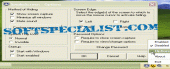
How simple is to hide your desktop? First, install and run the application. Whenever someone is trying to see what your are working, just put the cursor of the mouse of one of the screen edge and nothing can be seen anymore. A new image that you have taken before of anything you desire is shown with the intention that it looks like you are really working or anything else.
After the unwanted visitors leave, you can come back at your private activity by pressing double-click.
You will succeed to password shield the software with the intention that only you have the ability to return to the previous state or change the program's options.
This program never disturbs you! You can see it in the System Tray and you can even make its icon invisible with the intention that only you know it's there.
How to install & uninstall SmokeScreen - system requirements
Nothing special to install, use or uninstall it.
|