| |
Review and how it works
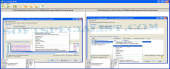
TortoiseSVN acts as a Subversion (SVN) client useful for developers. It comes as a graphical user interface functional to: list all the files inside your project, view the status of the source code, update a Subversion, make diverse changes.
It integrates Subversion commands into the Windows Explorer.
It provides an efficient way to keep current and old releases of files e.g. source code, documentation or web pages.
It is user-oriented and convenient to use: in order to work, it doesn't need the Subversion command line client.
Subversion acts as a version checking system wide-used in open source software development.
How to install & uninstall TortoiseSVN - system requirements
Nothing special to install, use or uninstall it.
|
|