| |
Review and how it works
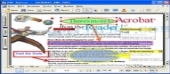
VeryPDF PDF Editor (acrobat editor) is a simple interface program produced for users familiar with Microsoft Office and similar utilities.
It brings applications to help the user freely write the private comments to the document and share the comments with others.
This PDF Editor brings a very suitable way for you to add contents or change the text or add text in each font you desire, specially in filling out electronic forms, correct spelling errors, erase words fully etc..
With its features users are able to save, move, copy, paste and print the comments and contents, convert PDF format files to Text files, BMP files, TIFF files, GIF files and make other format file.
Edit,rotate, convert image to pdf, preview pictures are some of the functions of VeryPDF Editor.
With the help of the included tools users are able to save the time and money while getting the same as with other similar utilities.
Brief details
Allows make PDF file from EMF, BMP, WMF, JPEG, GIF, TIFF, PNG, TGA, PCX, MS Word, MS Excel, MS PowerPoint, MS Project files, Text files, WPS files etc.;
Allows make file from clipboard image;
It can convert file to BMP, WMF, JPEG, GIF, TIFF, PNG, TGA, PCX, TXT files etc.;
Also allows viewing, it's a free viewer;
A module allows copy the text and image to clipboard;
It allows add stamp (a picture), note, draw (pencil line, beeline, rectangle and ellipse) and textbox to your document;
Undo/Redo features;
Add text and draw (including line, rectangle, ellipse and polyline) to the content;
It has option for fill out forms;
It comes with several options for copying form content to an excel file.
It helps users speedily view and edit files
Change text and picture of docs.
Enables the user to modify documents.
How to install & uninstall VeryPDF PDF Editor - system requirements
It needs 32M RAM.
|
|