| |
Review and how it works
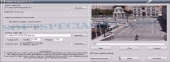
This software enables the user to obtain a higher resolution of the video using Super-Resolution (SR) methods. In order to generate a better image quality with this resizing procedure, it picks data from preceding frames, too. Other tools are operating only with the information from the current frame and thus the results are inferior to those of Video Enhancer.
With this program, the user is enabled to convert a standard video to HD format.
The video enrichment is also made operating with many VirtualDub filters; these assists users to do any thing they need: denoise, deinterlace, correct colors, sharp, add effects and so on.
This way to enhance the quality is more rapid than VirtualDub thanks to the ability to use filters and codecs, at once, in separate threads.
With this tool you have the ability to open each movie able to run on the PC and to recompress it with another codec (DMO, DirectShow, VfW).
Brief details
It displays instructions in the main window.
You can select the work mode (speed/quality).
You need some experience to know which filters to use.
Utilizes a large number of filters and it's quicker than VirtualDub.
It uses multiple images to improve the same scene (Super Resolution method).
This utility acts as a movie quality enhancement utility.
How to install & uninstall Video Enhancer - system requirements
The computer needs a microprocessor model with support for MMX.
|
|