| |
Review and how it works

XP Web Buttons - produce powerful XP and Vista-style web buttons and menus in only a few clicks!
XP Web Buttons aids you to produce stunning looking buttons and navigation bars for the webpages easily.
XP Web Buttons produces all button pictures, Javascript and HTML code directly, so it is not necessary each other graphics or programming ability, and you'll get direct results.
The buttons are entirely personalizable, they react to mouseover and mousedown events, supportany XP and Vista themes, font face, font style, shadows, icons, alignment, links, targets, tooltips and more.
Creating professional useful buttons is very painless with the tool.
Once this utility is installed you'll be making buttons for the web site rapidly and easily: no coding or drawing ability required.
Any parameter of a web button can be handily changed, helping to achieve the required result. Users may set such parameters as direction, size, color, font face, font style,shadows, icons, alignment, links, targets, tooltips, word wrap, et cetera. Each changes may be undone by pressing the "Undo" button.
XP Buttons can produce complete web menus but also single pictures of buttons. These menus may be either horizontal or vertical and support "rollover" and "click" effects with a full set of Javascript and HTML code.
Web menus created just correspond with Windows graphic user interface components. That is why visitors to the site will not have to spend time familiarizing themselves with an unusual navigation scheme. On the other hand, the users can do more than using standard Windows themes. They may produce their individual unique buttons.
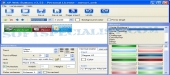
Any change of button-menu appearance is directly displayed in the software preview window. At once, you will be enabled to test how the buttons would respond to mouse events.
What is new?
- It features new Vista-style themes and icons
- Encloses support for .ico files for icons
- Hot keys
- Support for clear-type fonts
- It has more sample projects.
Brief details
It generates web buttons in a few clicks!
It aids you to personalize the buttons.
Permits users to build navigation bars for the webpage.
Web menus created are just like Windows graphic user interface components.
How to install & uninstall XP Web Buttons - system requirements
It was intended on a standard Windows personal computer.
|
|