| |
Review and how it works

ZipGenius was conceived to be a zip file compression application that permits you to compress files and store them in tens of different formats, counting CD/ DVD images in ISO9660 standard.
ZipGenius was conceived to be a free zip and unzip application. Zip Genius lets you select from more than 20 types of compression algorithms, counting RAR, ARJ, ACE, CAB, SQX, OpenOffice.org documents and the newer 7-zip.
File compression is helpful not only if you need more free space on your hard drive but also when to facilitate document sharing over the Internet.
File compression enables the user to backup and organize documents in a better way, by creating a single archive out of one or several files of different types.
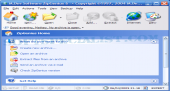
The interface is simple and fast: by moving the mouse pointer over a certain file it will provide you all the necessary info about that archive, and you are able to add files to a zip file just by using Drag and Drop.
Now, it can pre-compress executable files (.exe) and recuce their size by adding them to a ZIP archive through the UPX compressor.
Zip Genius makes possible to build archives with smaller size, because it may precompress the mentioned file types through UPX engine. UPX is easily installed by ZipGenius setup.
Because ZipGenius has practical backup options, it can offer a good way to save and eventually restore lost data such as important documents or system files.
Brief details
Able to generate and handle several sorts of archives, e.g. ZIP, CAB, ACE, 7-zip, ARC, SQX.
Generate Multivolume archives (for Disk Spanning)
Send archived documents by e-mail through PocketPC mobile devices.
Provides full control of the zip files and similar that you create.
Defend your copies with a better encryption system than the one you normally activate by adding files with password.
Provides help for uploading to Web, through the FTP Genius module, an included FTP client.
Fix damaged zip files.
You have the ability to seach for and find files inside archives.
Create backups in 7-ZIP format with ZipGenius.
Can generate self-locking and self-erasing CZIP files + self-decrypting archives (SDA) in .EXE format.
The free ZipGenius was designed to generate and show the file signature (checksum).
How to install & uninstall ZipGenius - system requirements
Runs on a minimal computer with CPU Pentium 100 MHz.
This archiver may be used on Windows OS.
At least 32 Mb RAM are required.
Free hard drive space: 24 Mb.
|
|