| |
Review and how it works

How about embellishing the covers of your precious music and video collection? iWinSoft CD/DVD Label Maker was made as a quick, user-friendly, simple program for Mac OS X, intended to help you in creating your own labels and covers for CD and DVD.
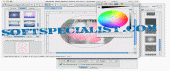
This software enables any user to create spectacular labels for CDs or DVDs with minimum effort. It comes with a suite of templates which encloses pre-made pictures ready to illustrate covers, background photos and different layouts. In order to create a customized CD cover, you may handily choose a background, insert a personalized image (this can be even a barcode) and write a descriptive text. You can opt to insert some special visual effects, set the level of opacity and to adjust many additional options. When you think it's ready, you can simply access its menu to print the labels.
Using the tools provided by iWinsoft and its complete object library, the whole disc labeling process becomes uncomplicated.
This CD/DVD Label Maker is convenient for different Mac users: for those who need to make discs for commercial purposes, creating a nice-looking CD or DVD for friends and family or just to feed your hobby.
What is new?
It is able to use images directly from Apple iPhoto, the application for managing photos on Mac.
Various Text-related enhancements;
Included new cliparts;
The help file was updated;
New templates for jewel CD/DVD keep cases;
How to install & uninstall iWinSoft CD/DVD Label Maker for Mac - system requirements
Nothing special to install, use or uninstall it.
|
|