| |
Review and how it works

7-Zip takes control of the .7z archive format but, is intended to read a lot of other types of archive.
Although it works slower in compressing ZIP or gzip files, the programme obtains a better compression rate than other zlib applications.
The final percentage of compression mostly depend on the sort of input data used. When it will compress to the 7z format, the output size is expected to be with 30-70 percents smaller than when choosing zip format. Overall, the output size is usually up to 10% better than of many other archiver applications.
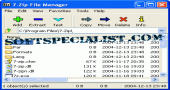
You have the ability to use 7Zip in three different modes: command line, friendly graphical application interface or integrated in Windows' shell environment.
7-Zip presents itself as a free application that has the source code publicly available to be modified, improved or adapted, a thing not possible with the commercial programs like WinRAR and WinZip.
This file archiving utility comes with option for numerous archive formats e.g. ZIP, CAB, ARJ, RAR, gzip, bzip2, cpio, LHA, tar, rpm or Debian deb archives. It also comes with option for creating ISO CD/DVD images.
This free archiver is able not only to open MSI files but also CAB (that uses LZX compression) and NSIS (LZMA) installer. That means that it can be used to detect if binary files are in fact archives.
The compression format used by 7-Zip, called 7z, is innovative and is known for its size reducing abilities.
Some of the strongest points of 7z format are: its open architecture, high compression coefficient, strong encryption based on AES-256, and the possibility to deal with unicode file names. The algorithm of 7z format is inspired from LZMA.
The program allows working with very big files having up to 16000000000 GB in size and provides features for solid compression and archive headers compressing.
If needed, this archiver will encrypt files operating with AES-256 algorithm.
To prevent the password cracking attempts, 7-Zip utilizes big number of iterations that produce cipher key from the text password.
What is new?
Dealing with ISO and NSIS.
General speed optimizations.
64-bit Windows support added in the new version.
It is possible to handle LZH files.
It allows CHM.
Create multivolume CAB is permitted by this archiver.
Drag and Drop has been enhanced.
Brief details
Provides a large plethora of tools usually not available in paid compression products.
It can unpack corrupted file names archives, allowing you to rename the files as desired.
The utility has an option for encrypting files making use of the 256-bit Rijndael AES cipher.
It will encrypt not only the files but also the 7z folder structure.
When the folder structure is encrypted, the file names within the 7z archive will only be visible if the correct password is provided.
Based on LZMA, the 7z format provides significantly higher compression rates.
Provides the user with a good flexibly in handling volumes of dynamically variable sizes. Helpful for making backups on various media for example writable CDs and DVDs.
Its interface can be used as a basic file manager.
It can be used for packing / unpacking: 7z, GZIP, BZIP2, ZIP, TAR and for unpacking only: RAR, ARJ, CAB, ISO, LZH, CHM, Z, RPM, CPIO, DEB, NSIS.
The tool has an improved compression ratio, that is 2-10 % better compared to PKZip and WinZip.
Self-extracting capabilities for 7z format, convenient Windows Shell integration and a handy command line edition are other abilities of it.
The interface is translated in more than 60 languages.
How to install & uninstall 7-Zip - system requirements
Nothing special to install, use or uninstall it.
|
|