| |
Review and how it works
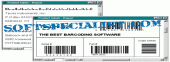
ABarCode for Access add-in will assist you to convert each data from the reports into bar code symbols.
You may choose between various bar code types: EAN-8, EAN-13, UCC/EAN-128, 11, 128, 39, 93, Interleaved 2 of 5, Codabar, UPC-A/-E, Postnet, PDF417 and 16K.
Printing the output in each report's section and subreports is allowed.
Verify digits and start/stop codes are trouble-free computed and added. Various preferences can be set. The symbols can be horizontal or vertical oriented, either fixed or scaled filling a Text Box area.
How simple it is? Just start and design a report, add text boxes with the data you wish, open this add-in, add these text boxes to 'Barcode fields', and opt for the sort of bar codes you desire.
The user will find more information about the existing types and its characteristics in the included help file.
ABarCode tool add-in is offered for Access 97, 2000, 2002, 2003 and 2007 editions.
What is new?
Added support for Access 2007
How to install & uninstall ABarCode for Access - system requirements
MS Access 97, 2000, 2002, 2003 or 2007
|
|