Review and how it works

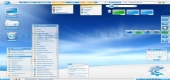
Aston Shell was thought as a configurable and useful interface replacement tool, that permits you efficiently manage the system's resources through a Desktop with a special look.
Aston changes lots of aspects, it will almost fully replace the old fashion display with a new look one, adding numerous useful functions and tweaking the access to personal computer's resources according to needs and usage.
It brings you not only a new look but also effectiveness in preforming tasks.
The new look's elements are similar to the ones you know so there will be no adapting problems. At the same time it brings a lot of additional functionality.
Regardless of how old or advanced is your system, the application will always be useful.
By customizing the Desktop with one of this interface manager's theme, the computer will use less memory that it usually does for providing similar functions.
With it there will not be limitations anymore, the Desktop icons may become of each desired size, each form (due to alpha-blending) and may be animated, too.
What is new?
Multimonitor support (put separate wallpapers or icons).
Fully updated documentation.
New themes tutorial.
Calendar added to the tray clock plug-in.
A search plug-in available.
Task previews.
A lot of bugfixes.
A lot of tiny tweaks.
Brief details
-a desktop manager that provides functions for Shell replacement and customization.
-Toolbars on the left or right side of the screen brings painless access to your documents, utilities as well as web links frequently used.
-Multi-state Taskbar buttons allow users to know about a particular window if is active or minimized.
-A quick launch Panel that can be minimized replaces the taskbar.
-It assists the user to hide or restore System Tray icons in one click.
-Keep the screen clean with the help of the Panel plug-ins.
-The Disks and the Recycle Bin allow users to visually know the free space available.
-Multi-monitor support.
-It provides the user with an included Hotkey Manager.
How to install & uninstall Aston - system requirements
only 20 MB of free disk space.
|