| |
Review and how it works

Super Converter (that is Simplified Universal Player Encoder & Renderer Converter) comes with option for an immense number of input source file formats that you want to play and need to encode (to & from). An important thing to say is that the application is an all-inclusive one so no third party utility will be needed.
Super Converter (freeware - free software) permits the conversion (or encoding) to nearly all multimedia types.
Super is a trouble-free, yet pretty good software to convert (encode) or just play Multimedia files, both audio and video, without having to read manuals or spending long hours working.
This freeware video converter utility was made as a Multimedia Encoder and Player, super simple to use just one mouse click is enough.
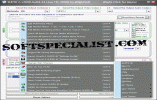
Simplified Universal Player Encoder & Renderer comes with a GUI to ffmpeg, mencoder, mplayer.
SUPER offers a large variety of free video codec selection with every file format proposed for conversion (encoding).
The speed and the rendered quality plus its wide list for codec selection are the result of the interesting work achieved by the authors of ffmpeg , MEncoder , Mplayer , ffmpeg2theora, x264 , MusePack (mpc) , libavcodec library (inside ffmpeg and MEncoder) & the theora/vorbis RealProducer's plugIn and compiled here.
Brief details
- Free Video Converter
- Free Audio Converter
- Setup of the most important parameters like size, fps and bitrate as well) to be used during video conversion and internally optimized commands parsing for best results, thus making the life simpler for the user when starting the encoding process .
- Determining during audio conversion of the main audio parameters such as sampling rate, bitrate, number of channels and internally parsing of optimized audio commands, to get optimum encoding quality.
- Batch converting of many files by the use of the handy file drag and drop feature.
- Some of the video formats that can be handled: 3gp (used by Nokia, Siemens, Sony Ericson) asf, avi (e.g. DivX, Xvid, MPEG4, MSmpeg4, and so on..), flash files: fli, flc, flv, mpg (both Mpeg I or Mpeg II), wmv, ogg, mov, mp4, qt, rm, str (from Play Station), swf flash, viv, vob.
- Audio format: wma, mp2, mp3, mp4, ogg, ra, ac3, amr and many others.
- convert 10 .AVI files to MP4 and 15 .RM to iPod with the help of the a batch mode
- AviSynth Script Files: avs parsing. Assist the user to specify powerful encoding commands making use of AviSynth scripts.
- Image Sequence: jpg, pgm, png, ppm (ONLY if the filenames are sequentially numbered)
- Player, encoder, renderer
How to install & uninstall Super Converter - system requirements
SUPER Free Video converter may not function in a Windows emulator environment such as WINE is or similar
Full admin credentials required within an admin session (for NTkernel OS). (Vista users need to RightClick and 'Run as... Administrator')
At least 1800 MHz Intel Pentium4 processor but any one better will provide faster processing. (64-bit CPU or OS support is NOT guaranteed)
512MB of RAM or more.
20GB of free space (or more) on the hard drive where you have the OS installed.
1024 x 768 resolution or larger.
32,000-color display or more.
IE 5.01 or later.
Internet connection.
|
|