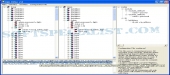
Review and how it works
Xml Differ comes as an instrument designed to compare two or more XML files. It comes with both command line mode and GUI.
Xml Differ will make use of a simple configuration file that will contain all the settings of the comparing process.
Brief details
# "exclude" will define what xml attributes should be excluded during the comparison process. The following: "exclude_attribute name='password'" will exclude all 'password' attributes from the results.
# "ID" define identification attributes for a certain node. E.g.: "IpAddress id_attr='ip_address'". means that the 'IpAddress' nodes from two files are considered equal when their attributes 'ip_address' are equal. The nodes will be compared and included in the results.
How to install & uninstall Xml Differ - system requirements
.NET 1.0
|