Review and how it works
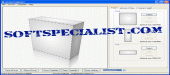
eCover Engineer enables the user to draw covers for any CD, DVD or e-book and to design program boxes having two or three sides visible.
Edit images making use of the application's editor or use the free templates.
With its camera rotation and movement option, it is possible to rotate the camera on any of the three axes.
With eCover Engineer users may easily import pictures such as BMP, JPG or GIF in order to be used for creating covers.
What is new?
- Full CD and DVD cover support available in this utility.
- Enhanced rendering.
- Incorporates now new options.
- Added a Distance scroll bar for the Camera position .
- A new Refresh button for the Image window.
Brief details
- 3D editing with instantaneous rendering
- Use and get images of high quality
- Add imported BMP, JPG, GIF pictures.
- Is capable to rotate, roll and resize the width, height and depth of the box.
- Change the light source location.
- Apply/Remove shadow effects.
- Capacity to specify the light color and background. .- Capacity to let users see the X, Y, Z axes.
- Suitably save or open cover or box templates that preserve the settings such as camera and light position, colors etc) .
- Send the covers or boxes by email directly from the application.
- Camera rotation by mouse.
- Encloses custom settings for the ebook: rear shape or interior spine colors.
- Various settings in order to create CD or DVD covers or software boxes.
- Multi language support offered by this utility.
How to install & uninstall eCover Engineer - system requirements
-Functions on a standard computer with a 3d video card.
|