Review and how it works
FileZilla free software assists you upload and download to and from a website, server or host.
Filezilla FTP client has functions that enable users to explore the computer's or Web site's directories and suitably transfer files via FTP.
With its very friendly user interface and the advanced options, FileZilla software is convenient both for inexperienced users and powerful users.
This free software brings the user firewalls and FTP proxy connections support but also other functions found in commercial similar clients, for example SSL and Kerberos GSS protection.
Functions like download queue and automatic binary or ascii transfer, the capacity to download or upload various files at once from and to many servers or its feature to browse websites during the FTP transfer. With all these characteristics, Filezilla a free yet appreciated client, is very useful for uncomplicated or medium size web sites.
Brief details
Filezilla was built as a free FTP software made under GNU General Public License (GPL)
Filezilla can perform several file transfers through FTP simultaneously.
Site manager incorporated to store all your FTP connection details and logins made with Filezila client.
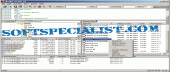
It has an explorer-like user interface with independently configurable panels that display the local and remote directories.
File zilla provides support for raw FTP commands and manual transfers.
Trouble-free to use
Permits also SSL/TLS (FTPS) and SSH File Transfer Protocol (SFTP)
Accessible in various languages
Permits resume and transfer of large files >4GB
Complex Site Manager and transfer queue
Drag & drop support
Adjustable Speed limits
Filename filters
Network configuration wizard
Remote file editing
Keep-alive
Proxy support
How to install & uninstall FileZilla - system requirements
Cross-platform. Runs on Windows, Linux, *BSD, OSX and more
|