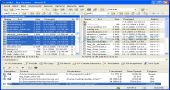
Review and how it works
WinSCP was made as an open source free SFTP client and FTP client for Windows.
Released as a freeware SFTP (SSH File Transfer Protocol), FTP (File Transfer Protocol) and SCP (Secure CoPy) client for Windows, it is based on SSH (i.e. Secure SHell).
The first job of the tool is providing an interface for copying files in a safe manner between two computers, one local and one remote.
Beyond its basic feature, WinSCP is also able to help in various task regarding files.
What is new?
Putty 0.55, SFTP5, different edited files
Fixed the scripting command Synchronize in order to work with local folder parameter.
Brief details
By using WinSCP you get the ability to connect to a SSH (Secure Shell) server by SFTP (SSH File Transfer) or SCP (Secure Copy Protocol) service or to a classical FTP (File Transfer Protocol) server.
Provides a graphical interface for working with these protocols.
Translated and available in many languages.
Simple integration with Windows (i.e. drag&drop, URL, shortcut icons)
U3 support.
Perform all typical operations with files.
Support for SFTP and SCP protocols by SSH-1 and 2 as well as for the classic FTP.
Batch file scripting and a command-line interface for advanced users.
Various types of folder synchronization: from manual to completely automatic.
Included text editor.
Provides support for SSH password, public key, keyboard-interactive as well as for Kerberos (GSS) authentication.
Able to integrate with Pageant (PuTTY authentication agent) for working with public key authentication through SSH.
Explorer and Commander type user interfaces.
Can store session information if desired.
Can be launched and used from removable media: a configuration file is used instead of registry entries.
How to install & uninstall WinSCP - system requirements
SSH server with SFTP/SCP support.
To utilize the WinSCP client just run the installation package; for uninstalling it is recommended to use the Microsoft Windows Add/Remove Applications feature.
SFTP must be run on the server. SSH-2 is recommended.
SCP1 is used for file transferring. If the server works with SCP2 then the Use scp2 with scp1 compatibility must be selected in the SCP/Shell tab from the Login dialog.
Should work on each system running Windows 95 or later.
Demands as little as 10 MB of free disk space.
|